“I was trying to download a torrent but when I click on the link nothing happened. How do you open torrent files?”
Before you can start downloading torrent files you need a “BitTorrent client”. Once you have that you can start opening torrent files. There are many programs for downloading torrent files but my favorite hands down would have to be uTorrent.
Once uTorrent is installed you can then start opening and downloading torrent files. You can Google for torrent sites to find more torrent files as well.
Here’s a quick example on how to open and download a torrent file:
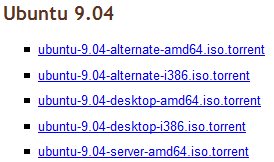
Let’s say I wanted to download a torrent file from a site. Here’s one from Ubuntu for their latest distribution. Click on the torrent link.
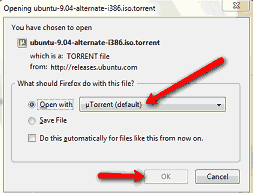
Now Windows will ask what program do you want to open it with. Make sure “Open with” is checked and uTorrent is selected. If uTorrent is already installed it should already be selected by default. Click “OK” to start downloading the torrent file.
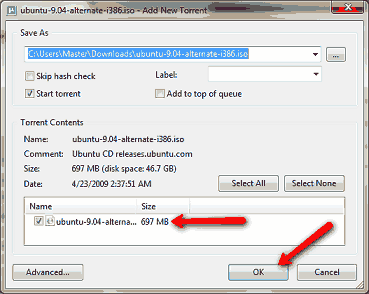
Confirm your torrent download and press “OK”
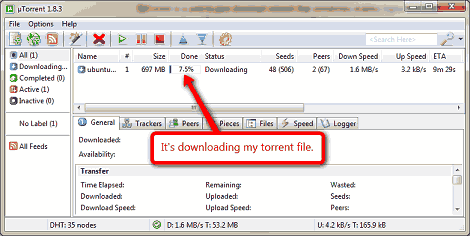
Now the torrent file should begin downloading. Here’s what uTorrent looks like:
That’s pretty much the basics on opening torrent files. To learn more about Bitorrent and how it all works check out the Wiki page.
Can I download something like this for my kindle?