“My iPhone does not appear in iTunes and doesn’t seem to be syncing to iTunes, I dont see it anywhere. This iPhone is not jailbroken or anything either, any ideas?”
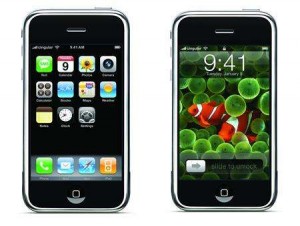
If for whatever reason you can’t see your iPhone in iTunes try some of these tips:
What version of iTunes you got? Most issues can be solved by getting the latest version of iTunes.
How’s your iPhone battery? Try giving the iPhone a good charge before syncing again.
Try using a different USB port. You could try unpluging all other unnecessary USB stuff and just plug in the iPhone by itself.
Unplug the iPhone, restart the computer and try pluging it in again.
Try turning the iPhone off now turn it back on again. Hold down the Sleep (Wake) button on top of the phone for a few seconds now drag the red slider that appears. Now press and hold the Sleep (Wake) button and wait for the Apple logo to show up. If your SIM is locked hit the “Unlock” to enter your PIN. You may only get three chance at entering your PIN key so be extra careful or else you may need to call your carrier to PUK it out for you. (Personal Unlocking Key).
Try this:
I tried a ALL the stuff Apple recommended, re-install iTunes, making sure the services were running, etc. Blah, Blah, Blah… Nothing worked.
What finally worked was: I replaced the device driver for the iPhone. But, here’s the TRICK. My iPhone was NOT showing up in iTunes and NOT showing up under the Device Manager’s Universal Serial Bus controllers where it should show up. But, it WAS under the Device Manager’s Portable Devices listed as Apple iPhone, with a camera driver. So I could see it under Windows’ My Computer as a Portable Device and it would open like any generic digital camera.
The procedure:
Find the listing for Apple iPhone in the Device Manager under Portable Devices:
Right Click it to get to the Properties
Click the Driver tab
Click the Update Driver… button
Click the “Browse my computer for Driver Software…”
Browse to this location:
C:\Program Files\Common Files\Apple\Mobile Device Support\Drivers
Click NEXT
Vista will then (hopefully) install the right drivers.
Now all is back to square one. My iphone shows up in itunes…
Hope I never have to do that again.
Good luck.
Oh! If you can’t find your iphone under “portable devices” just keep looking, sometimes it’s in the completely wrong place!
Thank you SO much for this post. Makes perfect sense though one could spend hours trying to resolve. Still surprised this problem would crop up in Win7, have been otherwise happy so far…..
My god, you’re my hero.
I went through so much shit after installing Windows 7 to get this back to work! Nothing worked, and yet it is so simple =)
Thanks a lot! ^^
Like Chris Emmery wrote, without using the word “sh**” for obvious reasons 🙂
I have looked everywhere for the answer! Finally, Thank you so much! O2 didn’t have a clue
Thanks a ton!!! Went thru sommuch for this and yet got it done withn like secs!! Hurray!!
oh my god in my iphone i see a i tunes symbol . i restore pc lots of time but not open iphone. i connect but not to be happen what i do? give some idea thank u
Jolene – thank you!
well it’s wonT work for me i still can’t see the iphone in the itunes
I have done all of the above and it still doesnt work 🙁 can someone please help! I installed the update for the 3gs the day and since then the iphone is not showing in iTunes. I hope someone has a solution
thx fiona
Fan-….ing-tastic!!
You are a star!!
I tryed to do this
(find the listing for Apple iPhone in the Device Manager under Portable Devices:
Right Click it to get to the Properties
Click the Driver tab
Click the Update Driver… button
Click the “Browse my computer for Driver Software…)
But when i right click and get the the properties there is no driver tab i have tryed reinstalling itunes and turning my phone off and on but nothing. i dont know what the go is. I have the latest itunes 10 and still nothing.
Someone please help me..
I have the same problem as Aaron Holloway.
Help!
This crap happened to me too after upgrading from XP to Vista. I tried your solution and it worked!
Hey Apple, how about adding this solution to your f*g FAQ!
Aaron & Tish,
When you right-click on the iPhone device, you get a pop-up menu with several items and one of them is a “Update Driver…” item. Just select it and then follow the advice as originally posted. Good luck.
Whoever posted this rocks. Saved me hours of frustration. You should be on Macs payroll! Thanks!
thanks Jolene. I can finally sync my iphone 4 again. I’ve spent hours in the past month trying to figure this out. I even gave up. tonight, thought i should try my luck and i found this post…thanks!
The procedure:
Find the listing for Apple iPhone in the Device Manager under Portable Devices:
Right Click it to get to the Properties
Click the Driver tab
Click the Update Driver… button
Click the “Browse my computer for Driver Software…”
Browse to this location:
C:\Program Files\Common Files\Apple\Mobile Device Support\Drivers
Click NEXT
Vista will then (hopefully) install the right drivers.
You saved a lot of my time, definitely try updating drivers
Thank you very much!
Thanks a lot Jolene……..
I can go through the process no problem, but Vista keeps the same driver (Digital Still Camera) I get the message “window has determined the driver software for your device is up to date”
Please help
I get the same problem as Michael (kinda). When I plug in my iPhone 4 in, it can’t be found in iTunes and I see the error code 0xE8000003. The closest thing I can find in the Device Manager relating to my iPhone is the ‘Apple Mobile Device USB Driver’. If I try to update this driver I then get the error message “windows has determined the driver software for your device is up to date”. Help?
I have an iphone 4 OS 4.1 and the newest version of itunes 10.0.1.54 and it would not detect my phone after updating to that version of itunes on Win XP sp3. After trying several things short of reinstalling itunes (which had not helped people in other forums) I tried Jolene’s solution above and it worked! Thank you! The trick was getting out of being recognized as a Digital still camera in windows.
How do we stop it from being recognized as a digital still camera?
It sounds like I have the same problem as Reece, except I have a 3G. Please Help.
I’ve got the same problem as reece SO ANNOYING!!!!
HELP!!!!
Your solution was the only thing that worked!!! I tried so many things and was about to give up, but THANK YOU!!!!
Jolene….
YOU ROCK !!!!
you’re the only one who actually HELPED 🙂
thnx
Awesome. this tutorial rocks thanks a ton
I updated two drivers then it worked.
Under Imaging devices and universal serial bus controllers.
I had to do them twice before iTunes registered my iPhone 3GS
I rarely leave a comment but THANK YOU!! You’ve saved me hours of kicking and screaming. You certainly deserve a reward!
Simply Genius!!!
My device was under Imagine Devices… After update driver it work like a charm!!! Thanks Jolene
Thank you Jolene for that post! You are a great help!
I’ve spent 5 hours before I found the solution! Jolene thank you SO MUCH!
i’m still amazed that Apple has such bad software. The issue is STILL not resolved in itunes.
I just don’t understand how to change the driver to read my iPhone as a mobile device as opposed to a still camera.
Thank you so much! I had the exact same problem: Windows recognized my iPhone 4 as a digital camera and I could browse all the images on it, but iTunes would hang or freeze everytime I connected my iPhone. After several minutes iTunes would unfreeze, but not recognize my iPhone. It simply didn’t show up in iTunes.
I did what you suggested and chose “Update driver”. I selected “Browse” to select the path you mentioned, but after clicking next, Windows would say something like “Windows has determined that the current driver is the best match”. So to overrule Windows, I had to click the “Have disk” button and select the specific INF file in the directory you mentioned. And THEN I could select Apple’s driver and install it. And lo and behold! iTunes now recognizes my iPhone again! Thank you for posting this solution!
Thanks you so much for this, I have Win 7, it recognises my iPhone (3GS) but iTunes didn’t see it. I spent two days re-installing, updating, re-starting to no avail. Happily I stumbled across your post – brilliant, brilliant, brilliant – works a treat.
Hi could anyone be able to help me please i have an iphone but every time i turn it on it says sim locked even tho i put the password in and i have reception but on the screen it still areas a padlock and the usb cable to itunes help.
Thank you! This worked for me! Spent an hour researching and trying different things (from Apple and elsewhere) and this is what did the trick.
Hey everyone,
I am having the same trouble as Michael, Reese, and Stephanie above. I have been following the advice of changing the driver for my iphone 3GS, but everytime I do so Windows determines that a “Digital Still Camera” driver is the appropriate driver. I even tried by-passing this by clicking on “Have Disk” and searching for the correct driver myself. However, I could not find the “usbaapl.sys” driver in the browsing window, as Windows I suppose doesn’t think it is compatible.
Please offer any advice you can, I have been having this issue for weeks and have not found anything online that fixes it!
Updating the Apple Device driver worked for me.
Thank you so much !
To the people that still have issues with this. try this worked for me with a customer i had.
1/Go to the folder C:/Program Data/Apple/Lockdown (in Vista or 7)
2/Delete SystemConfiguration (system file)
then plug your what ever it is and start itunes..
OMG thank you SOOO much i have tried everything. this was the only thing to fix it!
Thanks for this is worked straight away. I really thought id broken my phone or something.
OMG… THAT is too insane….. thanks apple I used to trust you….really… thanks goes to Jolene!!!!…
First Off
I could NOT find the Iphone in my device manager under “Mobile Device Manger” to show up in my XP pro Device Manger after expanding all the goups but i DID find the “Apple Iphone” under imaging devices… once I updated the driver to point to
C:\Program Files\Common Files\Apple\Mobile Device Support\Driver
presto… fixed… like my nightmare never happened…
Apple should be emabarrassed for letting this P.O.S. “Upgrade”?!?!?!? out of R&D… maybe the testees were drunk on the day they were to run through the scenarios….
I am still a bit Pissed off! Apple appears to be going the way of Microsoft. To bad…. a good company gone bad.
But glad i could find a solution here… after searching apple community for many hours… restarting my computer and iphone 20+ times, reinstalling iturnes and all that.
What a joke…of tech support on Apples site… Ducky bunny could never get it right.
Now do I dare to upgrade my Iphone to 5.0.
bring on the pain.
Thanks 🙂
Jolene…..
Thank you VERY MUCH!
T H A N K Y O U !!!!!!!!!!!!!!
I still have issues, when i trie to update this i get an error message, saying this: Windows cannot verify the digital signature for the drivers required for this device (code 52)
someone please help me? I haven’t been able to connect my iphone in like 3 months now. I really want to synch it 🙁
works perfectly….thanks
Thank you very much!!!!!!!!! it works!!!!!!!!!
Had same problem with my iphone 4s and i did what you said Jolene and it worked like a charm.
Cheers =)
thanks .. restarting iphone did the trick.
tnx, same here.. restarting the phone did it..
Thank you. I was pulling my hair out trying to figure this out.
You’re a star.
Thank you Jolene.
My Itunes doesn’t recognise my Iphone 6. I use windows 7. What could be the problem and the possible solution?
You are a gem, Jolene. Your blood’s worth bottling!
Jolene, you posted your answer here in 2009 and here I am thanking you from the bottom of my heart at 2015!! Thank you soooo much!!
Jolene, you rock from 2009 to Nov 2015 and its still perfect.. Thanks..!!!!!
Jolene Jolene Jolene, you are the smartest women ever seen, thxxx
Joelene – Thank you sooooooo much. I spent hours trying to figure this out. It took me 2 minutes after reading your information! You saved me tonight!
Jolene,
I love you !
I spent a whole morning trying to sort that problem and it was driving me mad and none of the apple support methods or others had any effect
Now it works perfectly
Thankyou !
I have to add my voice to all these posts – just to let you know this is still the right answer. Did this on 10-23-2016. On PC Windows 10.
Thank you thank you thank you thank you thank you!!!!!!!!!!!!!!!!!!!
Thank-you for the insight on this fix.
Thank you! I tried everything and this was the fix!
Excellent. Thanks a lot !!